 ReplayMac
A menu bar app for macOS 15+
The best clips happen while you're not recording.
ReplayMac keeps a rolling buffer of your screen and audio in memory. Whenever something happens that you want to keep, press a hotkey to save the last few minutes as an MP4.
In practice
Menu bar or Home control centre
Runs quietly in your menu bar or opens to the Home window. Check live buffer status, see your active display, and review clips saved during your session.
Always ready in memory
ReplayMac keeps your chosen window of recent screen time in memory, from 15 seconds up to 5 minutes, with extended replays up to 30 minutes saved to disk.
Instant MP4 export
Your clip saves directly to ~/Movies/ReplayMac/. Each recording opens in its own editor window with instant trimming, aspect cropping, and GIF export.
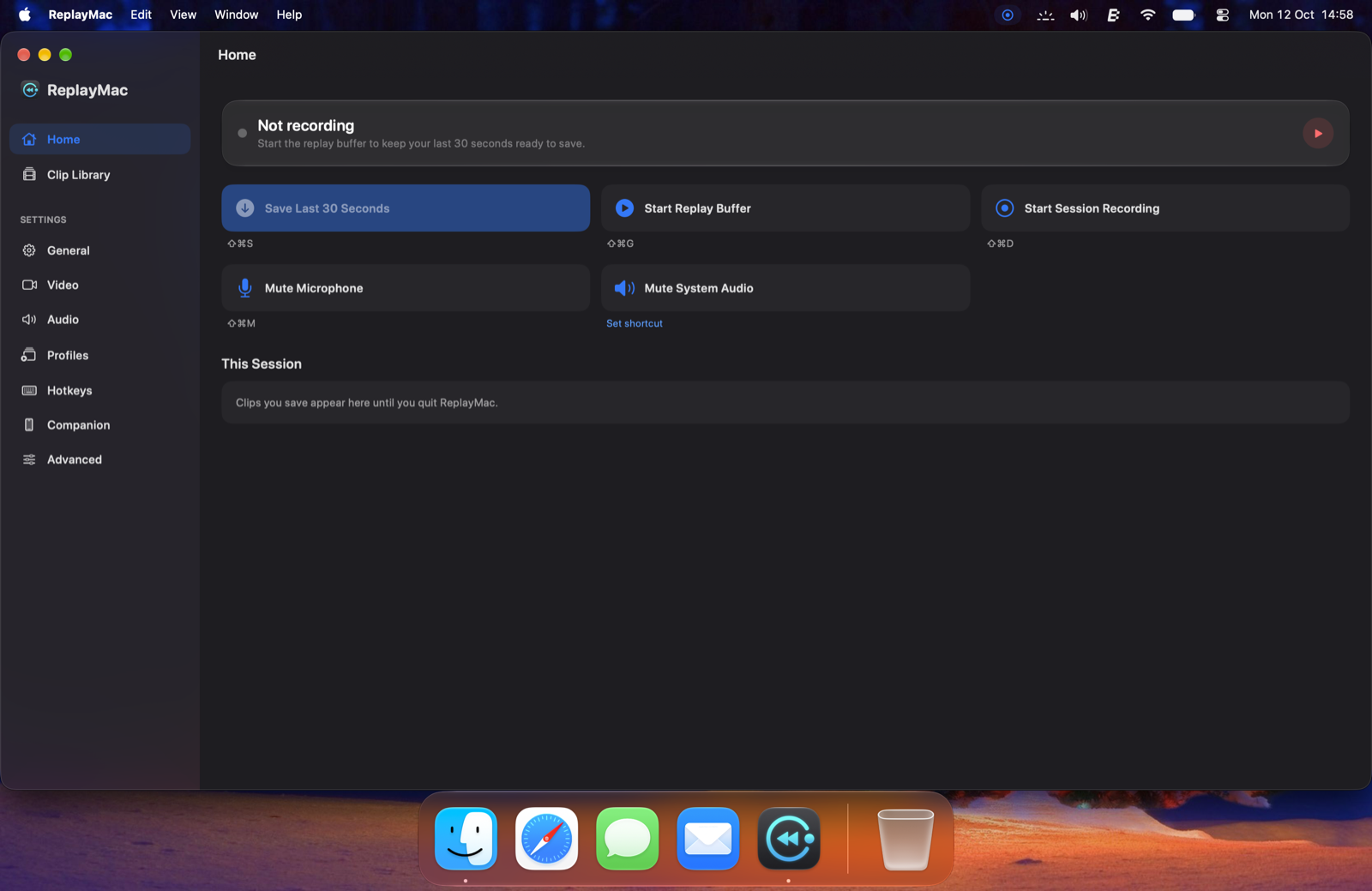
The Home window gives you live buffer status, quick capture controls, and every clip saved during your session.
I occasionally game on my Mac, and I miss the feature on my PS5 that lets me easily save clips from the past few minutes. ReplayMac essentially recreates this for me. Good work.
Feedback from a supporter on Ko-fi
More ways to capture
Automatic game recording
ReplayMac can stay idle until a game starts, record for the duration of your gameplay, and stop as soon as the game quits. Built-in presets ignore game launchers like Steam, Epic Games, and Battle.net.
Continuous session recording
Start a full recording from the menu bar, Home window, or hotkey whenever you want standard start-to-finish capture. Files save with passthrough encoding, keeping exports fast and preserving original quality.
Multi-window editor and GIF export
Fine-tune clips with a dual-handle range selector, crop to 16:9, 1:1, 4:3, or 9:16 aspect ratios, and scale exports to 1080p or 720p with a live file size estimate and a Discord 100 MB indicator.
ReplayMac Companion
Turn your phone or tablet into a wireless desk remote for your Mac. Save replays, control recordings, and monitor your buffer with a single tap.
Deck mode controls
Keep your phone screen on next to your keyboard. Tap to save the rolling buffer or extended replay, start and stop sessions, and mute your microphone or system audio without switching apps.
Live buffer meters and clip roll
Watch your quick replay buffer and extended replay fill up in real time. Saved clips appear on your phone right away with thumbnails, duration, and file sizes, ready to reveal in Finder or send to the Trash.
Private local pairing
Your phone discovers your Mac automatically over local Wi-Fi, or connects over USB on Android. Pairing uses a 4-digit confirmation code and a local security key. Everything stays on your local network, and the server stays off until you enable it in ReplayMac.
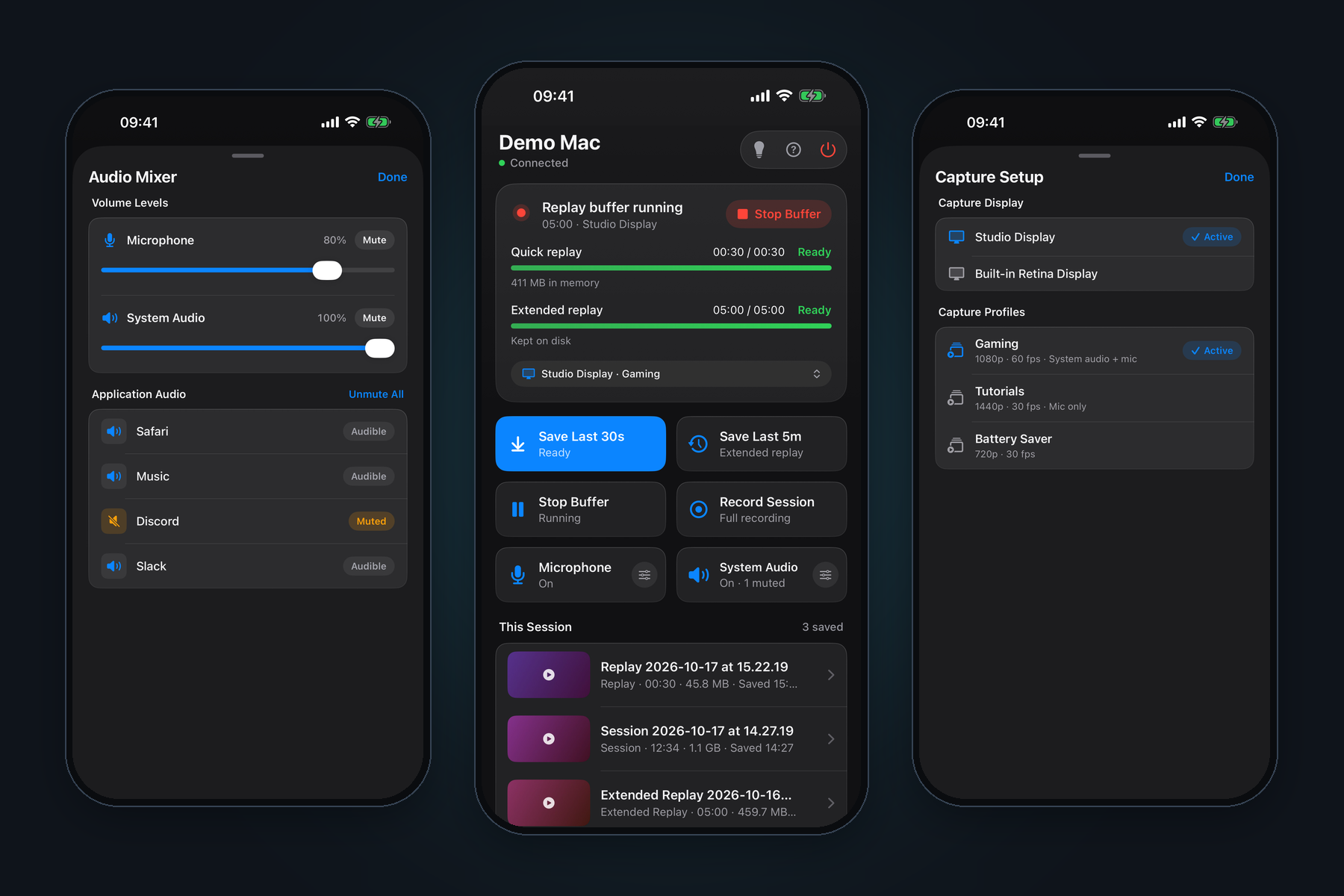
Mute individual apps from the Audio Mixer, save replays and watch your buffer fill from Home, and switch displays or capture profiles from Capture Setup.
Free on the App Store for iPhone and iPad as ReplayCap Companion. Android users can install the .apk directly from GitHub releases.
Spec sheet
Technical details and specifications.
- Capture modes
- Instant replay buffer (15 to 300 seconds in memory, up to 30 minutes on disk), continuous session recording with passthrough video saving, and automatic game recording.
- Companion app
- Wireless remote control for iOS, iPadOS, and Android. Triggers replays, session recordings, and audio mutes with live buffer meters and session clip reviews over local Wi-Fi or USB.
- Encoding & HDR
- HEVC or H.264, hardware-accelerated via VideoToolbox up to 120 fps. Optional 10-bit Rec.2020 HLG HDR recording on Apple silicon Macs.
- Displays
- Single and dual monitor setups, saved side-by-side or as separate files. Priority ordering with automatic fallback and wake recovery for docks, KVMs, and clamshell mode. Retina displays record at native resolution.
- Audio
- System audio and microphone, merged into one track or kept as separate tracks inside the MP4. Real-time RMS level meters in settings. Shortcuts for mic mute, push-to-mute, and system audio mute.
- Trim & Crop
- Independent multi-window clip editors, dual-handle range selector with looping preview, aspect ratio cropping (16:9, 1:1, 4:3, 9:16), 1080p and 720p scaling, GIF export, and live file size estimation with a Discord 100 MB indicator.
- Interface
- Liquid Glass navigation on macOS 26+ and native controls on macOS 15+. Unified window housing the Home control centre, clip library, and all configuration settings.
- Clip library
- Search, tag, rename, favorite, batch actions, and age-based storage cleanup.
- Hotkeys
- Configurable shortcuts for instant replay, extended replay, session recording, mic mute, push-to-mute, system audio mute, copy last clip, and opening the library.
- Output
- Standard MP4 files in a folder you choose, named by template ({app}_{date}_{time}).
- Requirements
- macOS 15 (Sequoia) or later. Universal binary for Apple silicon and Intel Macs, with Screen Recording permissions enabled.
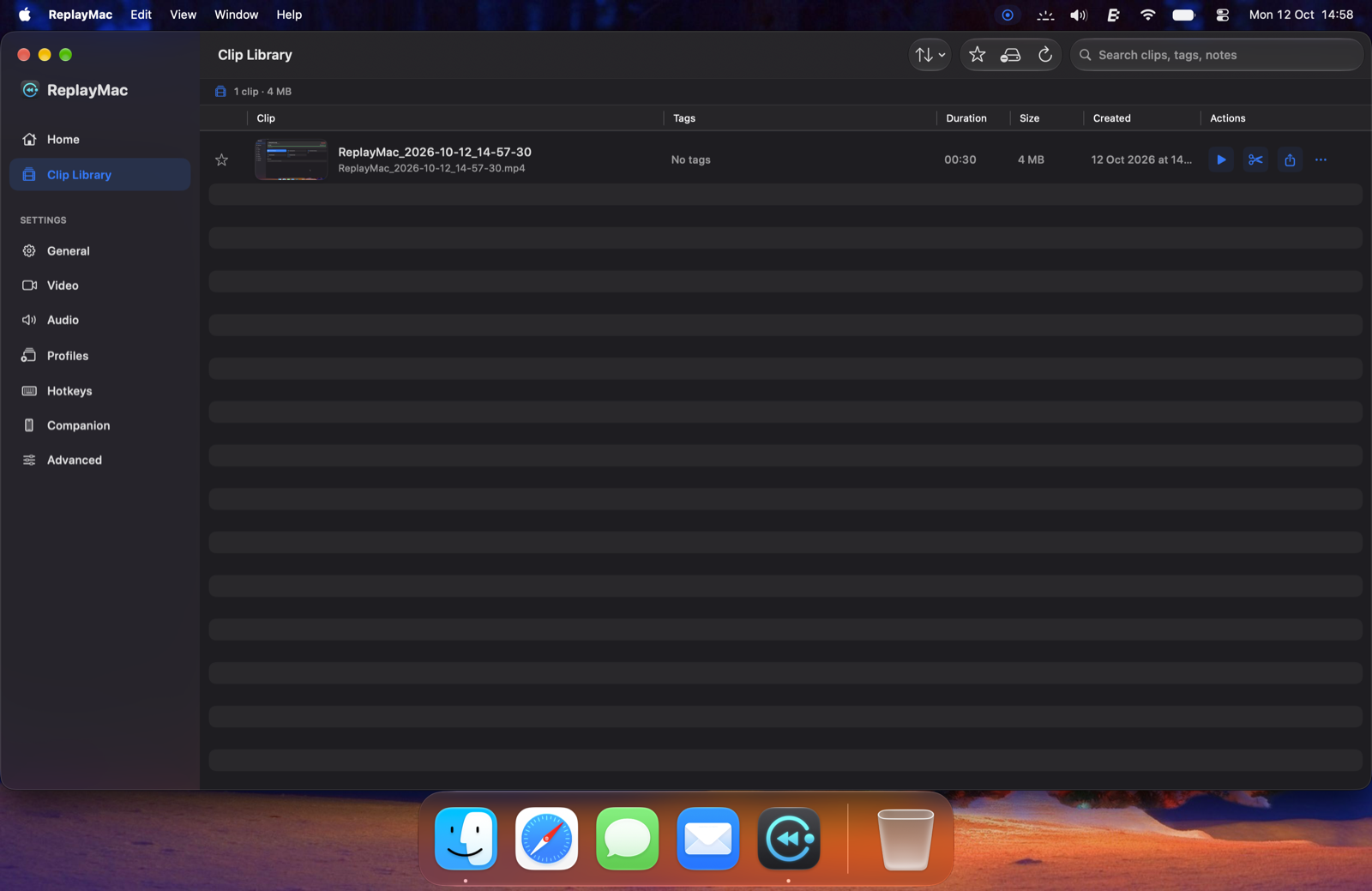
Built-in clip library with sidebar navigation, tagging, search, and batch actions.
Everything stays local on your Mac. ReplayMac runs entirely on your own machine and writes captures straight to your local disk. The only network request it makes is checking GitHub for new releases.
Read the full privacy policy.
Get ReplayMac
Free and source-available on GitHub, or available on the Mac App Store. If you find it helpful, you can support development on Ko-fi.
The Mac App Store version is listed as ReplayCap due to Apple trademark policies for third-party apps, featuring the same core app with automatic updates.
Release options: GitHub builds are notarized and free to use, and you update them as new releases arrive. The Mac App Store release provides automatic background updates.
ReplayMac Companion
Control captures from your phone or tablet. Free on the App Store for iPhone and iPad, and Android users can install the APK directly from GitHub releases.